Contracts: Send an NDA or Any Agreement for E-Signature
Send NDAs and contracts for legally binding e-signature straight from the CRM, Ask Clarky, or iMessage. A ready-to-send Mutual NDA is built in, signers sign from any device, and the signed PDF lands on the contact's record.
Read the docs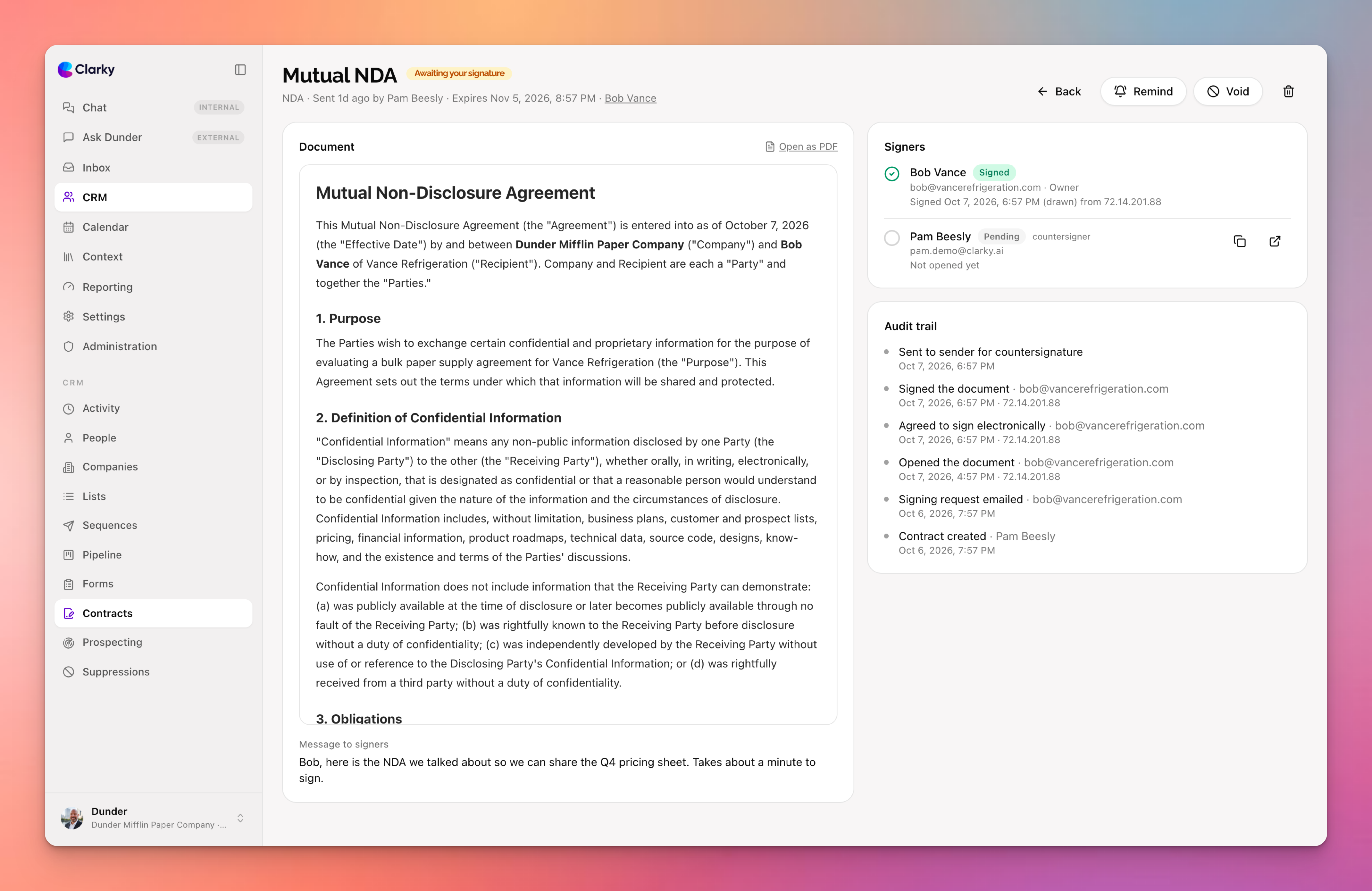
Getting an NDA signed before a first call should not mean a separate e-signature subscription. Contracts is now built into the CRM: pick a document, choose who signs, and send. A Mutual NDA ships ready to go, so you can get one out to anyone in about ten seconds without setting anything up. For everything else, write your own template once with merge fields, or upload any PDF.
Key features include:
- NDA in one click: a standard Mutual NDA is built in. Send it from the Contracts page, from a contact's Contracts tab, or just tell Ask Clarky "send Jim our NDA"
- Any contract: build templates with merge fields that fill in your company, the signer, dates, and anything else, or upload a PDF and send it as is. Edit the text right in the preview before it goes out
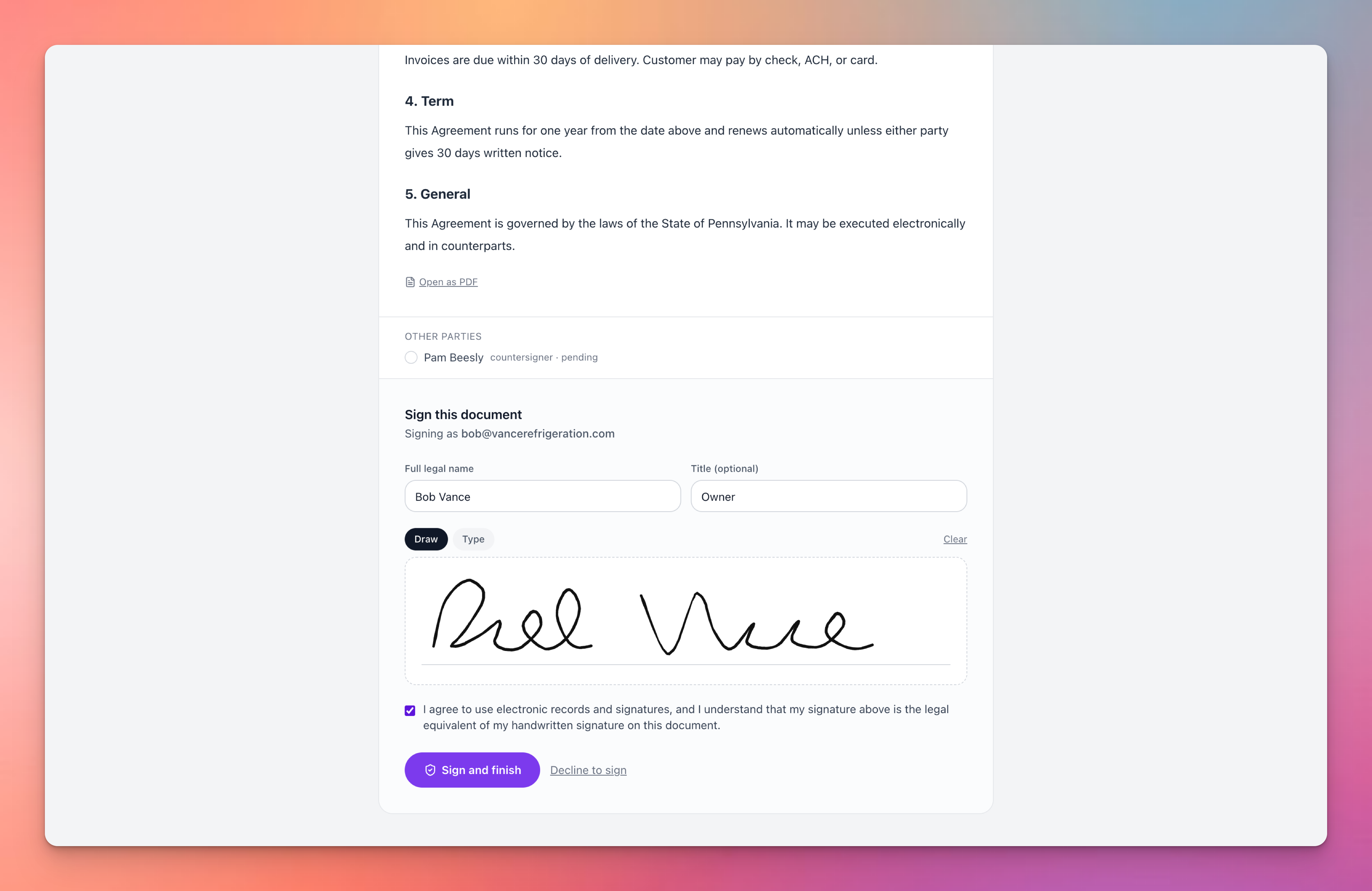
- Signing from anywhere: signers get an email link and draw or type their signature on any device, no account needed. Add an email verification code for sensitive agreements
- Your signature, your order: sign first so recipients get a fully executed copy, countersign last, or skip your signature entirely. Multiple signers are supported
- Legally binding, with the paperwork to prove it: every completed contract becomes a PDF with a signature page and a certificate of completion listing who signed, when, from where, and a tamper-evident document hash
- Filed automatically: the signed PDF lands on the contact's Files tab, the timeline shows sent, signed, and declined events, reminders go out on their own, and links expire when you say so
Here is what your signer sees: the full document, a legal name and title, a draw or type signature pad, and the consent they agree to before signing. No account, no app, no printing.
Contracts are available on the Startup plan and above. Find them under CRM, then Contracts, or ask Clarky whether someone has signed yet.