Meeting Recordings, Transcripts, and AI Meeting Chat
Clarky's built-in notetaker joins your video calls, records them natively, and writes the notes. Every meeting lands on your calendar, matched to the right booking, with the recording, a full transcript, and an AI chat that answers questions about the meeting.
Read the docsYour meetings now live where your calendar does. Clarky has a built-in AI notetaker that joins your Google Meet, Zoom, and Microsoft Teams calls, records the video natively, and writes the notes, no third-party notetaker subscription required. Every meeting is matched to the booking it belongs to, linked to your CRM contacts, and playable right inside Clarky with the notes and full transcript. You can even ask questions about what happened without re-reading a word.
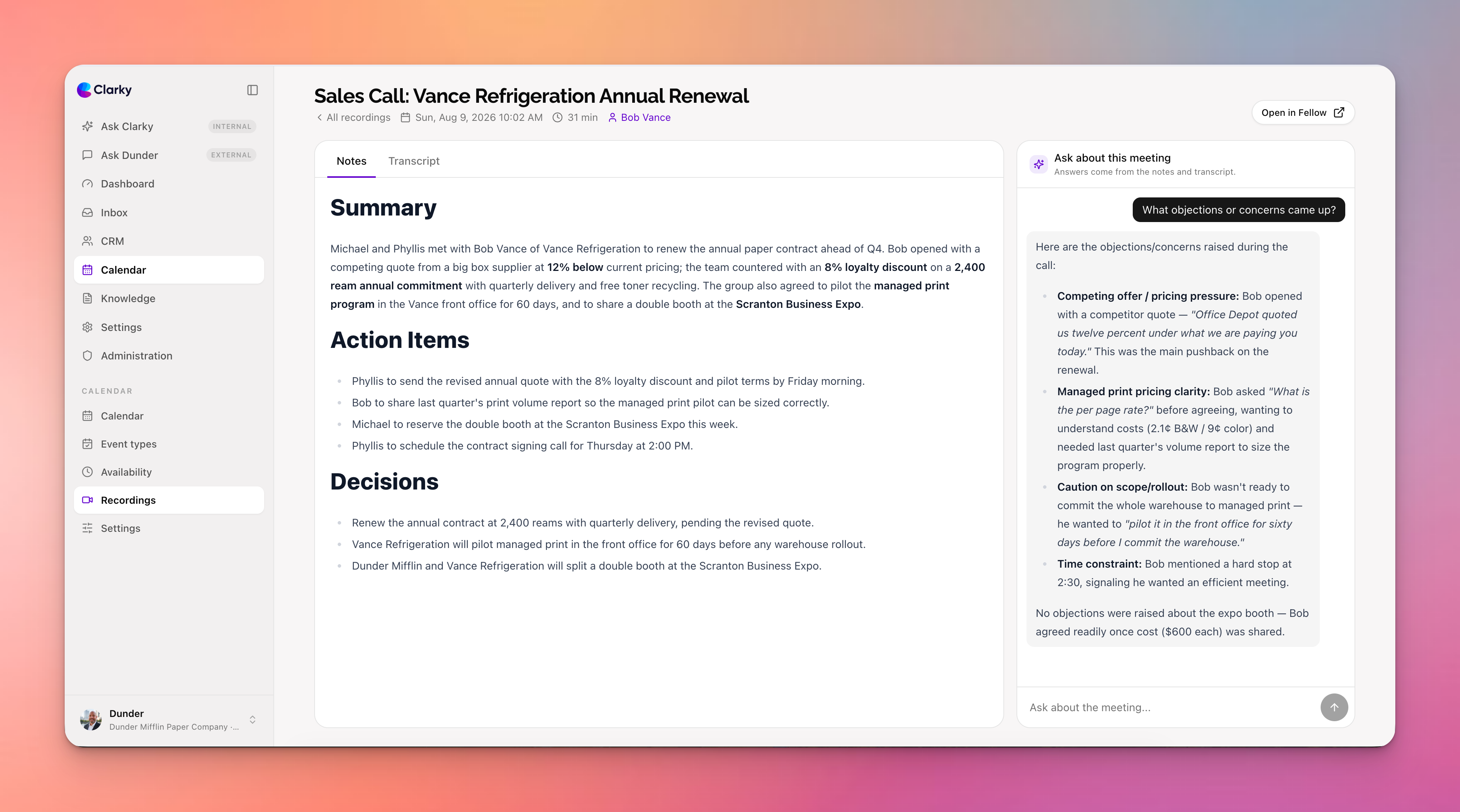
Key features include:
- Native video recording, built in: the Clarky Notetaker joins Meet, Zoom, and Teams calls with your name and photo, records the meeting, and stores the video for playback inside Clarky. It covers your Clarky bookings and meetings on your connected Google Calendar, or paste any meeting link to record on the spot.
- Automatic booking match: recordings are matched to the calendar booking they belong to using the attendee list and meeting time, so the recording shows up on the meeting itself, not in a separate silo.
- Recording icons on your calendar: bookings with a recording show a small video icon in the week and month views, and opening a booking reveals a Recording section with one-click links to the notes and your notetaker.
- A new Recordings section: every meeting recording in your workspace, with when it happened, how long it ran, who attended, and which booking and CRM contacts it matched.
- Notes, transcript, and playback: read the AI-generated meeting notes, the full speaker-by-speaker transcript, or watch the recording itself in a clean reader, without leaving Clarky. Playback keeps going while you flip between tabs.
- Ask about this meeting: a built-in AI chat that answers questions from the notes and transcript. Ask for the action items, the key decisions, or what the other side pushed back on, and get an instant answer.
- CRM timeline integration: matched attendees get a meeting activity on their contact and company timelines automatically, searchable from Ask Clarky.
The Clarky Notetaker is included on the Standard plan and above; syncing a third-party notetaker like Fellow works on every plan. Flip it on under Settings, then Meeting Recordings, and your next meeting will record and file itself.