Custom Domains: Forms, Surveys, and Chat Pages on Your Own URL
Point a domain you own at Clarky and serve your forms, surveys, and chat pages from it, with short branded links, your own favicon and social preview, and embed code that never mentions Clarky.
Read the docs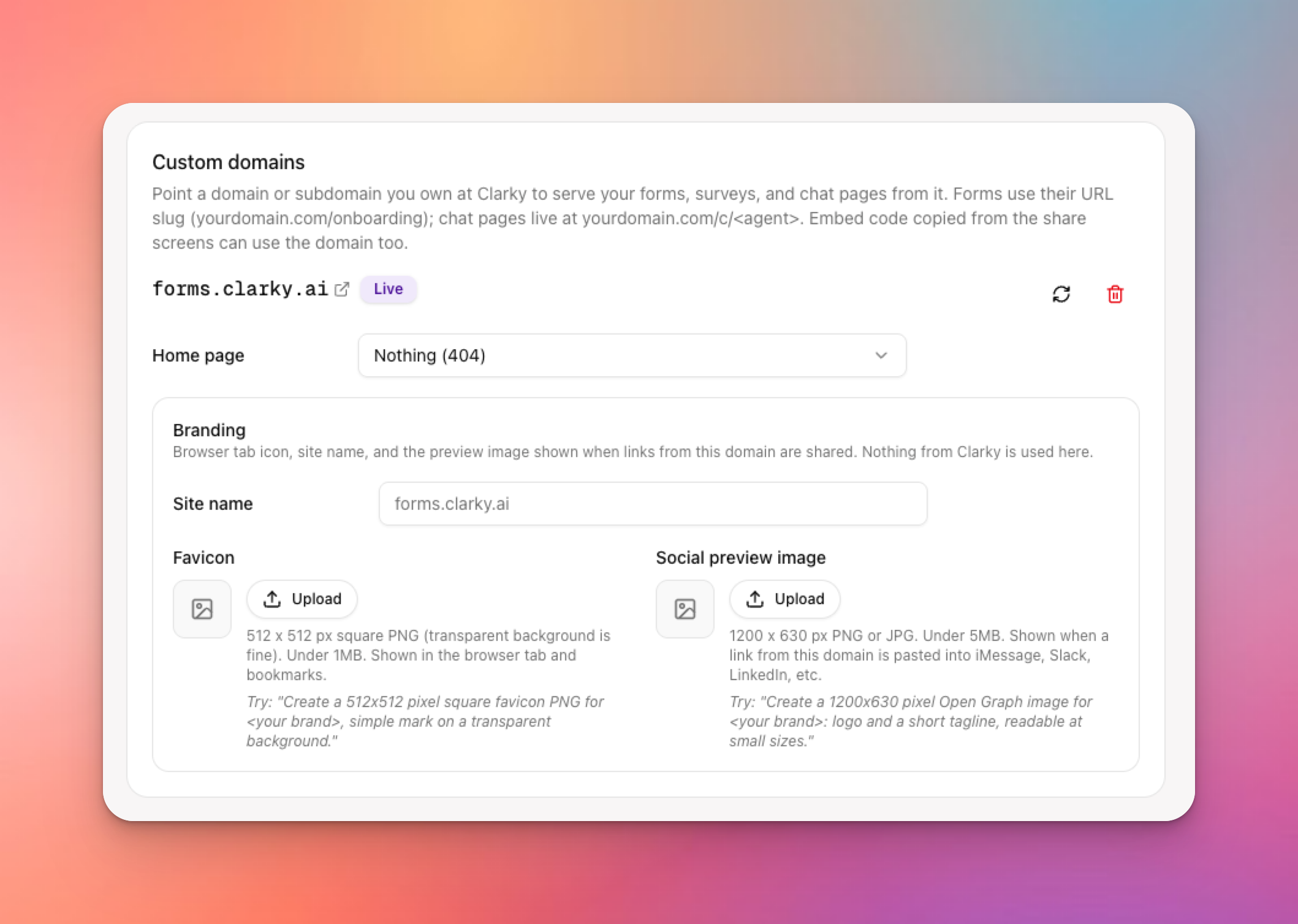
Until now, every public Clarky page lived at clarky.ai. Today that changes. Add a domain or subdomain you own, like forms.yourcompany.com, and your forms, surveys, and chat pages are served from it. Your customers see your brand in the address bar, your links stay short and memorable, and nothing on the page points back to us. Setup is a single DNS record, and Clarky walks you through it.
Key features include:
- Your domain, your pages: forms, surveys, and full-screen chat pages all load from your hostname. Add as many domains as you like and check their status from Settings.
- Short, readable form links: give any form a URL slug and share forms.yourcompany.com/onboarding instead of a long ID. Slugs are unique per workspace and editable from Form Settings.
- Pick a home page: choose which form or chat agent loads at the root of each domain, so yourcompany.com/apply and apply.yourcompany.com both work.
- Per-domain branding: set a site name, upload a favicon, and add a social preview image. Links shared on LinkedIn, Slack, or iMessage unfurl with your brand, not ours.
- Powered by Clarky toggle: hide the small "Powered by Clarky" link on chat and forms with one switch. Combined with a custom domain, the experience is fully white-label.
- Embed code that never mentions Clarky: the Share screens for forms and chat let you pick which host the link, iframe, and script tags use, and the embed scripts are served from your domain too.
- Guided DNS setup: Clarky shows exactly which record to add, every field is click-to-copy, and a re-check button confirms the moment your domain goes live.
Custom domains and the Powered by Clarky toggle are available on Pro and Enterprise plans. Head to Settings, then Custom Domains, add your first hostname, and your next form or chat link can carry your brand from end to end.